God Never Fails: The Complete Hymn Reference Guide
Explore the full story behind the hymn 'God Never Fails' — its lyrics, credits, and lasting legacy in this authoritative guide.
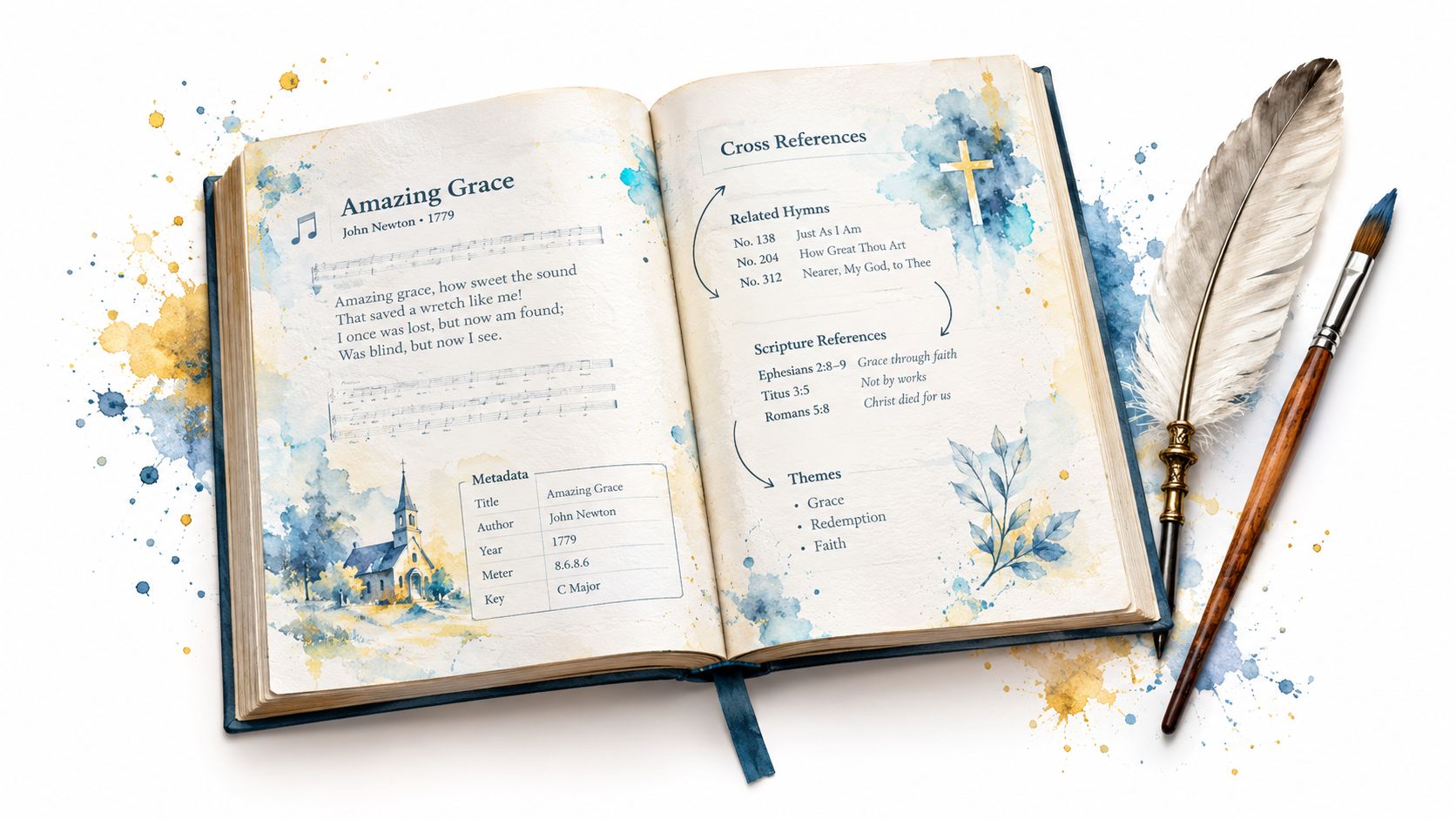
Which “God Never Fails” are you looking for: a gospel recording, a hymn, a lyric remembered from church, or a refrain appearing inside another work? That question matters because a shared phrase can point to different compositions, performers, releases, and publication contexts. A reliable reference must identify the exact work before presenting lyrics or credits.
For a church sound director, music librarian, researcher, or independent artist, the task isn't just finding words that look familiar. It's resolving identity. The correct page should show who wrote the composition, who performed the recording, where it was released, and which version the lyric belongs to. That structure protects worship teams from rehearsing the wrong arrangement and helps rights holders preserve accurate attribution.
Table of Contents
- Why the God Never Fails Song Reference Is Harder Than It Looks
- God Never Fails Song History, Versions, and Credits
- How to Read Verified God Never Fails Lyrics and Metadata
- Unverified Lyrics versus Artist-Approved Reference Pages
- How Artists and Rights Holders Can Claim a God Never Fails Page
- Metadata Fields That Keep Songs, Artists, and Releases Separate
- Why Separate Song Pages Reduce Attribution Errors
- Quick Reference Checklist for Verified Lyrics and Credits
Why the God Never Fails Song Reference Is Harder Than It Looks
Searching for God Never Fails lyrics can produce a convincing result that still belongs to the wrong work. The phrase functions as a song title, a hymn refrain, and a devotional statement, so a search engine may connect records because their visible wording matches rather than because their underlying compositions are the same.
One documented example is the gospel recording associated with Jessy Dixon as composer and Rev. James Cleveland as performer. Apple Music also lists a recording by Jessy Dixon featuring the Chicago Community Choir. Those are recording-level relationships, not proof that the performer wrote the composition. The Apple Music record for “God Never Fails” makes the separation between composer and performer especially important.
A second source of confusion comes from hymn records. Hymnary lists a work titled “God Never Fails” beginning “I never worry, I never fret,” attributed to George Jordan, while another hymn titled “God Will Not Fail” uses “God never fails” as part of its refrain. A hymnbook reference for the phrase and related works shows why a lyric fragment alone can't identify the requested song.
The collision happens in the metadata
A catalog collision occurs when two or more records share a display title but differ in one or more essential fields. The differences may include:
- Composition: The underlying song, hymn, or written work.
- Composer or author: The person credited with creating the composition.
- Performer: The singer, choir, ensemble, or recording artist.
- Release: The album, label, date, and edition containing a recording.
- Text source: An approved lyric, hymnal text, or refrain citation.
Practical rule: Never merge records solely because the title matches.
For a sound director, the safest search begins with the performer, album, or lyric opening. For a rights holder, it begins with the composition credit and recording provenance. A verified reference page should link these entities without treating them as interchangeable. That approach gives listeners the version they intended and gives creators a defensible record of authorship.
God Never Fails Song History, Versions, and Credits
The documented history of God Never Fails becomes clearer when recordings and hymnbook entries are placed side by side. The gospel recording history connects Jessy Dixon's composition credit with performances associated with the Chicago Community Choir and Rev. James Cleveland. Apple Music lists a Jessy Dixon recording featuring the Chicago Community Choir dated January 1, 1964, while a Rev. James Cleveland release appeared on March 27, 1968, through Savoy Records as part of “Volume 8 - Part 1.” These dates and credits are available in the Apple Music catalog entry.
That four-year separation doesn't establish that every similarly titled record is the same performance. It shows that the composition circulated through different performers and recording contexts. A catalog should therefore preserve the composition as one entity only when confirmed, while keeping each recording, performer, ensemble, label, and release connected as its own record.
A working reference table
| Version / Work | Artist or Performer | Composer / Author | Release or Hymnal Context | Source Type |
|---|---|---|---|---|
| “God Never Fails” recording | Jessy Dixon featuring the Chicago Community Choir | Jessy Dixon | Dated January 1, 1964 | Commercial music catalog |
| “God Never Fails” recording | Rev. James Cleveland | Jessy Dixon | Savoy Records, “Volume 8 - Part 1,” March 27, 1968 | Commercial music catalog |
| “God Never Fails” hymn | Hymnal work, not treated as a specific commercial recording | George Jordan | Listed in 8 hymnals, including later heritage collections | Hymnbook catalog |
| “God Will Not Fail” | Hymn work | Alice Jean Cleator | Dated 1917, with “God never fails” functioning in the refrain | Hymnbook catalog |
The hymnbook record adds another layer. The Jordan work is listed in 8 hymnals, and its documented appearances include the African American Heritage Hymnal, published in 2001, and the second edition of Lead Me, Guide Me, published in 2012. The related Cleator hymn dates to 1917, creating a documented span of 95 years between that publication and the later Jordan hymnal appearance. Those facts point to institutional transmission, not a single recording history.
For a broader lesson in organizing lyrics by song, artist, and release, compare this approach with the catalog treatment of “Did You Feel the Mountains Tremble”. The same principle applies: title similarity is an entry point for research, not a final identification.
How to Read Verified God Never Fails Lyrics and Metadata
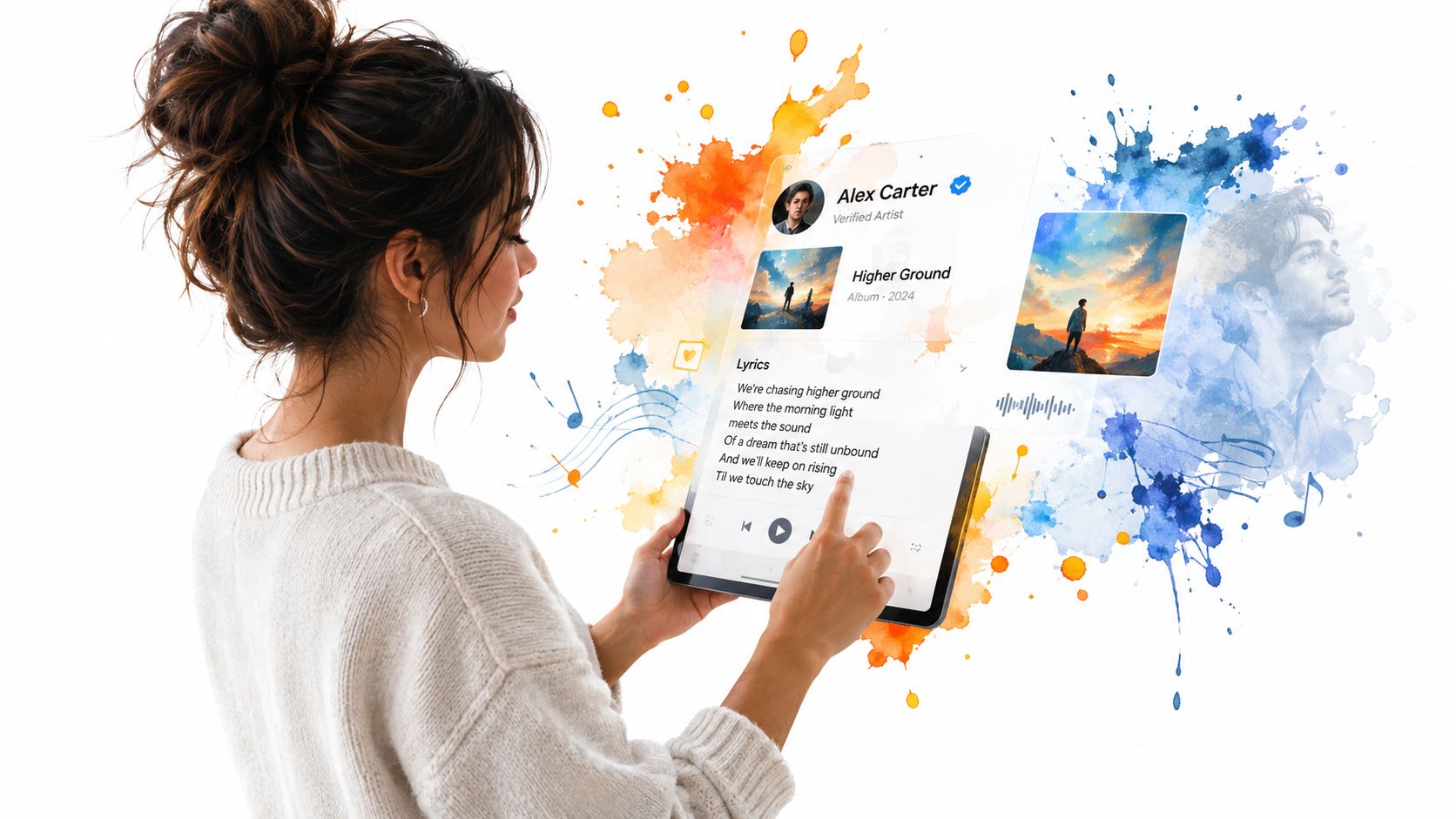
A trustworthy reference page should answer the identification question before displaying the lyric. Start with the page title, then check the artist or performer, songwriter or composer, release, and linked album. If one of those fields conflicts with the version you know, stop and investigate rather than assuming the text is interchangeable.
A simple verification sequence
- Identify the work type. Decide whether you're looking for a commercial recording, a hymn, or a song that includes the phrase in a refrain.
- Check the credited creator. Look for the composer, songwriter, or author separately from the performer.
- Confirm the recording context. Match the album, label, release date, choir, and featured artist where those details exist.
- Read the lyric only after matching the record. A familiar opening line doesn't prove that the page represents the recording you need.
- Use the official video as a second signal. An official embed can help confirm the performance, arrangement, and artist identity.
Artist-approved pages are most useful when each piece of information has a clear role. The lyric should belong to a named song record. The song should connect to the correct artist and album pages. The video should represent the relevant performance, rather than a fan upload that happens to use the same title.
What to inspect on the page
Look for visible attribution, linked entities, and an editorial status that indicates whether changes have been reviewed. A page that lists only a title and a block of text leaves too much room for accidental merging. A page with separate credits and relationships gives a church team or researcher a trail to follow.
Rights holders should also review spelling, featured performers, choir names, album titles, and release information. Those details may seem secondary beside the lyric, but they're what distinguish one version from another when several records share God Never Fails as a title.
Unverified Lyrics versus Artist-Approved Reference Pages
Unverified lyric pages are convenient because they often appear quickly in search results. Their weakness is provenance. A reader may not know who supplied the text, whether the page represents the correct recording, or whether an artist authorized the displayed credit.
That uncertainty creates practical problems. A church may print the wrong lyric for a rehearsal. A journalist may attribute a composition to the performer. An artist may find an altered text presented as official. A fan may follow a video that belongs to a different version with the same title.
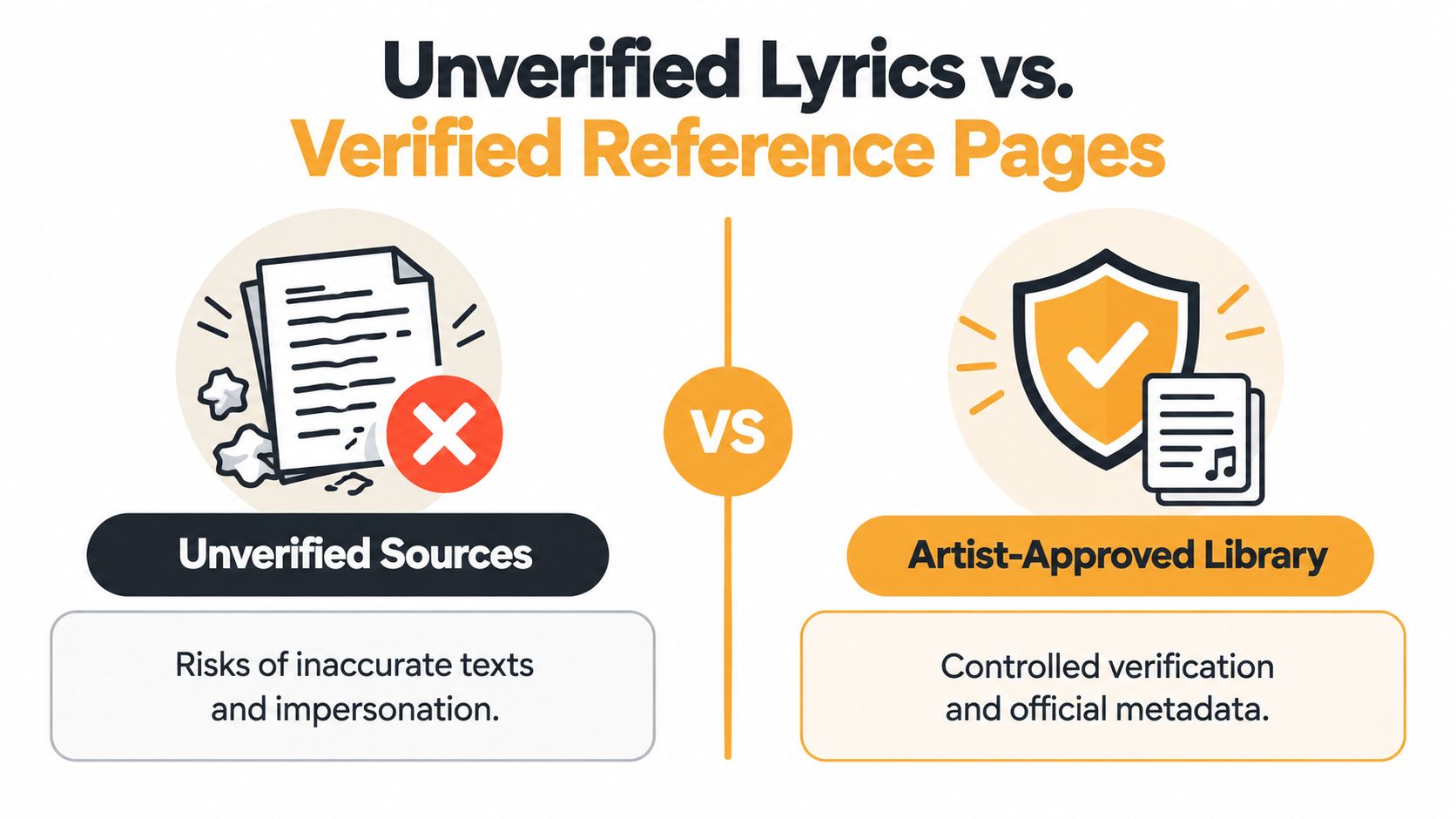
Compare the signals, not just the wording
| Unverified lyric page | Artist-approved reference page |
|---|---|
| Text may have no visible source | Lyric text carries visible attribution |
| A title may stand alone | Artist, song, and album records are linked |
| Performer and composer can be conflated | Composition and recording credits are separated |
| Video may be unofficial or unrelated | Official video embed supports performance identification |
| Corrections may have no clear owner | Verified rights holders can manage updates |
| Search discovery is fragmented | Structured pages support clearer catalog navigation |
Editorial review adds another control point. Before an update becomes public, someone can check whether the lyric belongs to the selected recording and whether the credit matches the supporting release or rights-holder submission. For a useful explanation of that process, see how an editorial review works.
A verified lyric page should make it easy to answer three questions: whose words are these, which recording uses them, and who has confirmed the information?
That standard doesn't mean every historical record will contain every field. Older hymn and gospel materials can have incomplete documentation. It does mean the page should show what's known, distinguish uncertainty from fact, and avoid filling gaps with assumptions.
For researchers, the result is a more dependable starting point. For artists, it's a way to correct public information without asking fans to guess which version is authoritative. For sound directors, it reduces the risk of building a service set around a lyric copied from the wrong recording.
How Artists and Rights Holders Can Claim a God Never Fails Page
Artists and rights holders should treat a public song page as a catalog asset, not merely a lyric display. Claiming the page establishes who controls the artist or work record and creates a channel for correcting lyrics, credits, release information, and linked media.
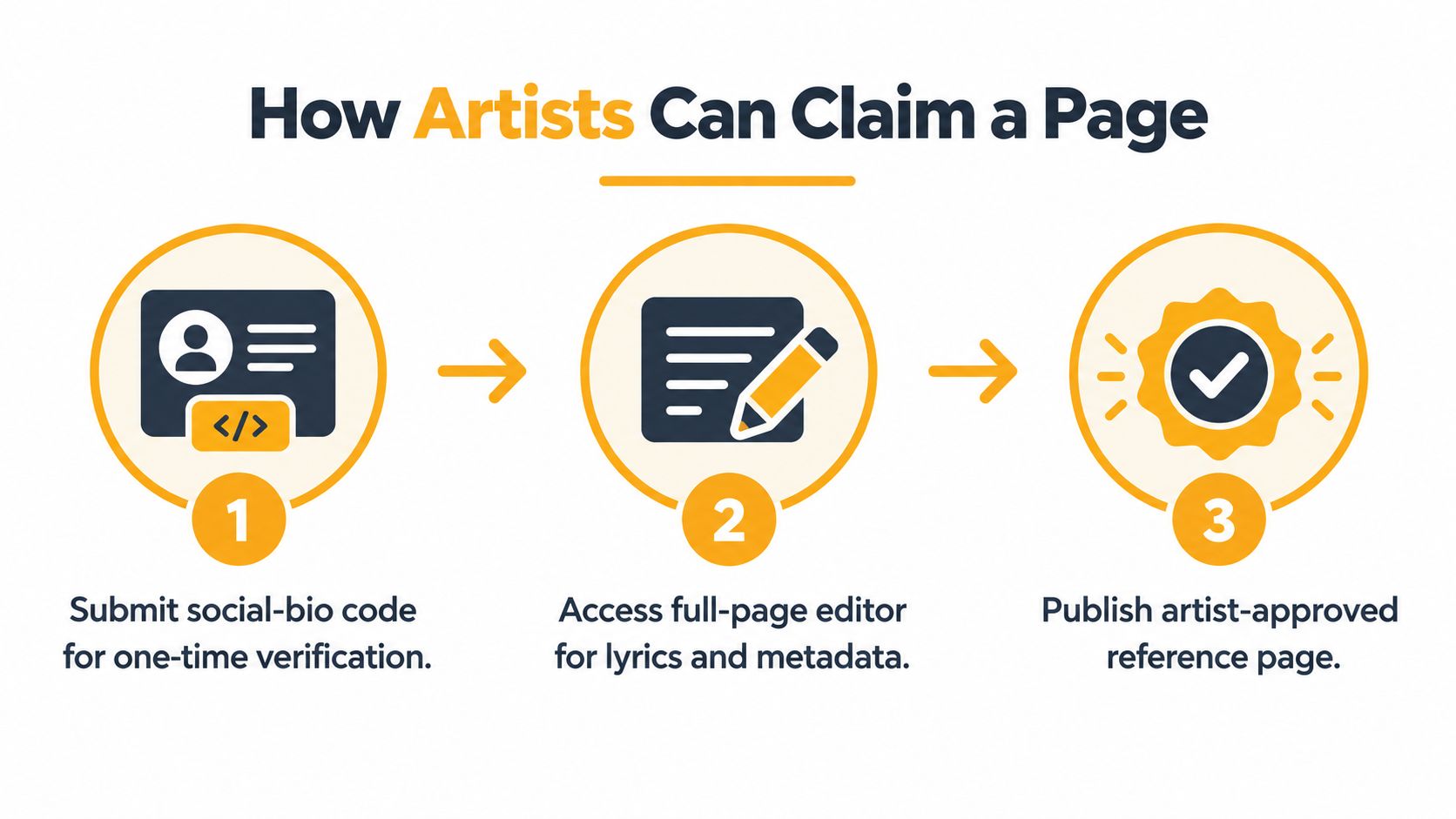
The verification path
First, prove control of the identity. A one-time code placed in an X or SoundCloud bio confirms that the person claiming the page controls the connected social profile. This is stronger than relying on an unverified email address because the public bio provides a visible ownership signal.
Next, edit the record. Once verified, the owner can review the full page, including lyrics, credits, metadata, and related artist or album information. For a title such as God Never Fails, this is where the owner should clarify whether the page represents a composition, a specific recording, or both through linked records.
Finally, submit the changes for review. An approval step holds edits before publication. That pause gives the rights holder and editorial team an opportunity to catch a mistaken composer, incorrect album relationship, or lyric that belongs to another version.
Prepare the evidence first
Before claiming a page, gather the authoritative information you want displayed. A release listing can support recording details, while a rights-holder submission can support authorship or lyric text. Keep composition-level information separate from performance-level information, especially when a choir, featured artist, or cover performer is involved.
The same ownership principle helps with other catalog entries, such as the reference workflow for “All This Time”. A verified owner should be able to maintain the public record without allowing unrelated contributors to overwrite it.
Ownership principle: Claim the page first, then correct the metadata systematically. Quick edits without identity checks can create a new catalog collision.
A rights holder should review the finished page as a listener would. Can someone tell which artist performed the recording? Can they find the album? Is the lyric visibly attributed? Does the official video match the selected song? Those checks turn verification into a practical quality-control routine.
Metadata Fields That Keep Songs, Artists, and Releases Separate
A music catalog needs more than a title field. The record for God Never Fails should distinguish the written composition from the recording, and the recording from the album or hymnal where it appears. Without those relationships, a database can attach a composer's credit to a performer or place a hymn text on a commercial recording page.
The most useful fields are the ones that answer different questions:
- Composition title: What is the underlying work called?
- Composer or author: Who created the song or hymn?
- Performer credits: Who sings, leads, records, or appears with the ensemble?
- Recording identifier: Which particular recorded performance is being referenced?
- Release type: Is the source a single, album, hymnal, collection, or another publication?
- Label or publisher: Which organization issued or published the record?
- Release date: When did that edition or recording appear?
- Linked lyric source: Which approved text belongs to the selected work?
Apply the fields to the known records
Hymnary identifies a hymn titled “God Never Fails” with the first line “I never worry, I never fret,” author George Jordan, scripture references to Deuteronomy 31:6–8 and John 3:1–21, and dates including 2000–2001 in its catalog record for the hymn. Separately, the Rev. James Cleveland recording was released by Savoy Records on March 27, 1968, as part of “Volume 8 - Part 1,” with Jessy Dixon credited as composer.
Those records shouldn't be merged just because both display the same title. The hymn's author and scripture references describe a work in a hymn catalog. The Cleveland entry describes a commercial recording with a performer, label, release, and composer relationship.
For technical teams maintaining media files, this guide to updating video metadata without re-encoding offers a useful operational reference. The same discipline applies to public pages: correct the descriptive fields while preserving the underlying media and its identity.
A structured catalog can then connect multiple recordings to one confirmed composition, while keeping each release and performance distinct. For more guidance on maintaining those relationships, consult metadata management for music catalogs.
Why Separate Song Pages Reduce Attribution Errors
Separate song, artist, and album pages make attribution visible. A song page can identify the composition and display the approved lyric. An artist page can gather the performer's work. An album page can place the recording in its release context. Linking those entities creates a navigable record without pretending they are the same thing.
That structure helps in everyday music work. A church sound director can confirm the recording before preparing lyrics for projection. A journalist can distinguish a composer credit from a vocalist credit. An indie artist can point collaborators to a page that represents the correct release instead of sending them through scattered search results.
Separation improves discovery
Users rarely search with complete metadata. Someone may remember only the phrase “God never fails,” while another person remembers Rev. James Cleveland or the choir arrangement. Separate pages allow the catalog to support both paths. The title can lead to related works, while performer, album, composer, and release fields narrow the result.
The key is linking, not isolating. Separate pages shouldn't strand related information. They should connect the song to its artist, the recording to its album, and alternate performances to the same composition only when the underlying work has been confirmed.
A clean catalog doesn't hide relationships. It labels them accurately.
This model also reduces the chance that an update to one record will change another without notice. Correcting a lyric for one recording shouldn't overwrite a hymn text or a different performance. Correcting an artist name shouldn't alter the authorship of the composition.
The approach is useful beyond gospel and hymn references. A structured example using “Joy to the World” shows why a familiar title still benefits from clear song and artist relationships. For God Never Fails, the same logic protects historical credits while making the right version easier to locate.
Quick Reference Checklist for Verified Lyrics and Credits
Use this checklist before selecting, publishing, or claiming a God Never Fails reference page. It's designed for practical catalog work, whether you're preparing a church service, researching a hymn, managing an artist profile, or checking a release for press use.
Identify the exact work
- Start with the phrase, not the assumption: Treat “God Never Fails” as an ambiguous search term until the performer, author, or publication context is clear.
- Check the lyric opening: A first line can distinguish a hymn from a commercial recording, but confirm it against the full record.
- Separate title from refrain: A work whose refrain contains “God never fails” may not be the same work as one titled “God Never Fails.”
- Ask for the intended context: Confirm whether the user means a gospel performance, hymnbook entry, album track, or lyric fragment.
Verify the credits
- Name the composer or author: Don't infer authorship from the performing artist.
- Record the performer: Include the lead artist, choir, ensemble, or featured contributor where applicable.
- Match the release: Check album, label, release date, and recording identity before attaching lyrics.
- Preserve the source relationship: Keep hymnal, composition, recording, and album records distinct.
Maintain the public page
- Use visible attribution: Readers should know who supplied or approved the lyric and credits.
- Confirm the official media: An official video embed should correspond to the selected recording.
- Review changes before publication: A second look can catch a mistaken relationship or version merge.
- Keep linked pages consistent: Artist, song, album, and recording pages should point to one another without duplicating identities.
The central issue is provenance. As the Hymnary record for “God Will Not Fail” demonstrates, the phrase can operate as both a title-related identifier and a recurring refrain. Treating every result as one generic worship text erases the distinctions that researchers, churches, listeners, and rights holders need.
A reliable reference doesn't merely display words. It tells you which work, whose words, which performance, and which release you're viewing. That is the standard that keeps a shared phrase useful instead of confusing.
House of Lyrics offers artist-approved lyrics, official video embeds, and linked artist, album, and song pages that help resolve titles such as “God Never Fails” without merging unrelated records. Visit House of Lyrics to explore verified music references or claim and manage the catalog pages connected to your work.